


Description
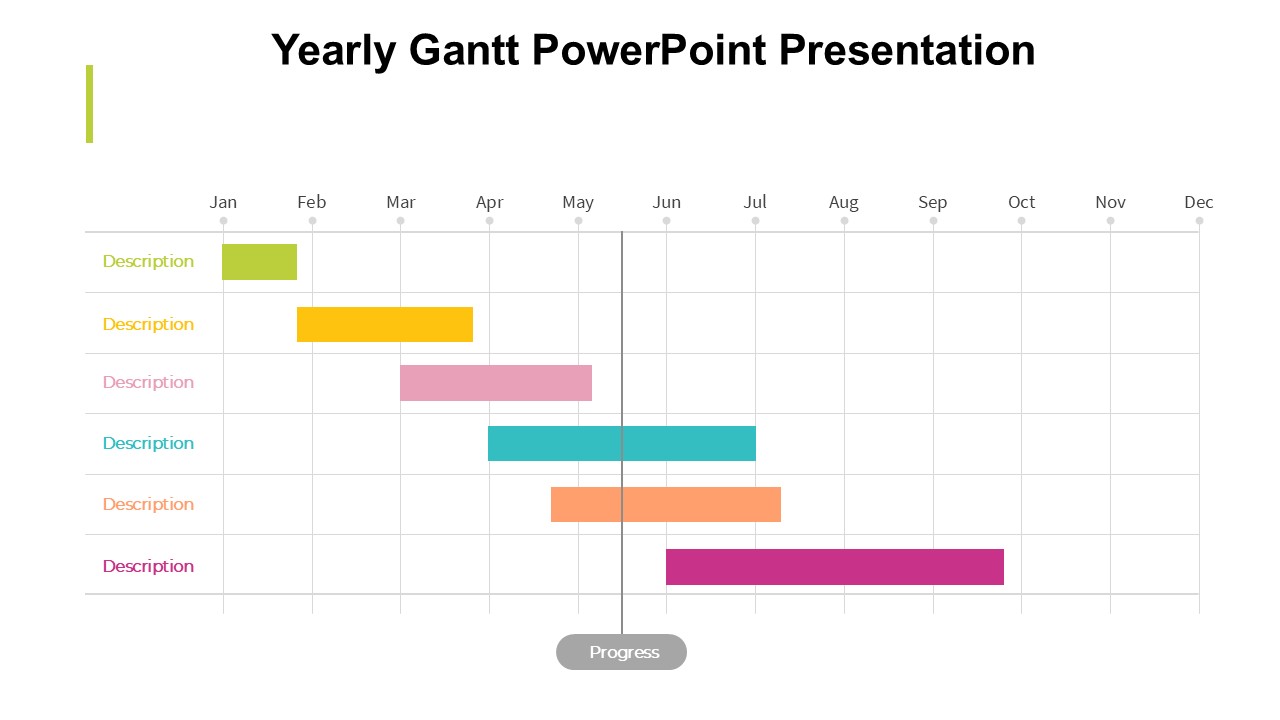
The Yearly Gantt PowerPoint Presentation PPT template is an essential presentation template designed to help educators, professionals, and advocates meticulously plan and display their annual project schedules or initiatives. This PPT template offers a clear, visual representation of tasks, durations, and status over the course of a year, making it an invaluable resource for anyone needing to oversee extensive projects or educational curricula.
Tailored specifically for use in Microsoft PowerPoint, this PPT slide template integrates seamlessly into your existing presentation setups. The Yearly Gantt PowerPoint Presentation slide template provides a structured layout that can be easily understood and manipulated by users of all proficiency levels, from novice presenters to seasoned managers. Whether you’re a teacher laying out the academic year, a project manager delegating milestones, or an advocate organizing a year-long campaign, this presentation template ensures that every critical date and task is accounted for and clearly displayed.
The design of the Yearly Gantt PowerPoint Presentation PPT template emphasizes clarity and ease of use. The slide template features customizable bars that can be adjusted to represent different time periods and tasks, color-coded elements to distinguish between various project phases or subjects, and editable text areas for detailed annotations and descriptions. This makes the template not only a planning tool but also a powerful communication tool that can help align team members, students, or stakeholders around common goals.
Moreover, the template’s professional and clean aesthetic ensures that it can be used in various formal settings without the need for additional design enhancements. This PPT template is an excellent choice for anyone looking to present complex yearly plans in a digestible and engaging format.
Features:
– Fully customizable design: Modify colors, text, and timelines to suit specific needs.
– Year-long overview: Easily layout and visualize an entire year’s worth of activities.
– Color-coded elements: Utilize colors to differentiate between tasks, deadlines, or phases.
– Slide-by-slide breakdown: Each slide can be used to delve deeper into each quarter or month.
– High-resolution graphics: Ensures that the presentation looks sharp at any projection size.
– Compatibility with Microsoft PowerPoint: Designed specifically for use in PowerPoint.
Use Cases:
– Ideal for educators planning academic years or curriculum schedules.
– Crucial for project managers tracking milestones and deliverables.
– Useful for non-profit organizations strategizing annual fundraising or awareness campaigns.
– Beneficial for businesses outlining fiscal year plans or marketing strategies.
– Appropriate for personal use, such as planning home renovations or long-term personal projects.



There are no reviews yet.