


Description
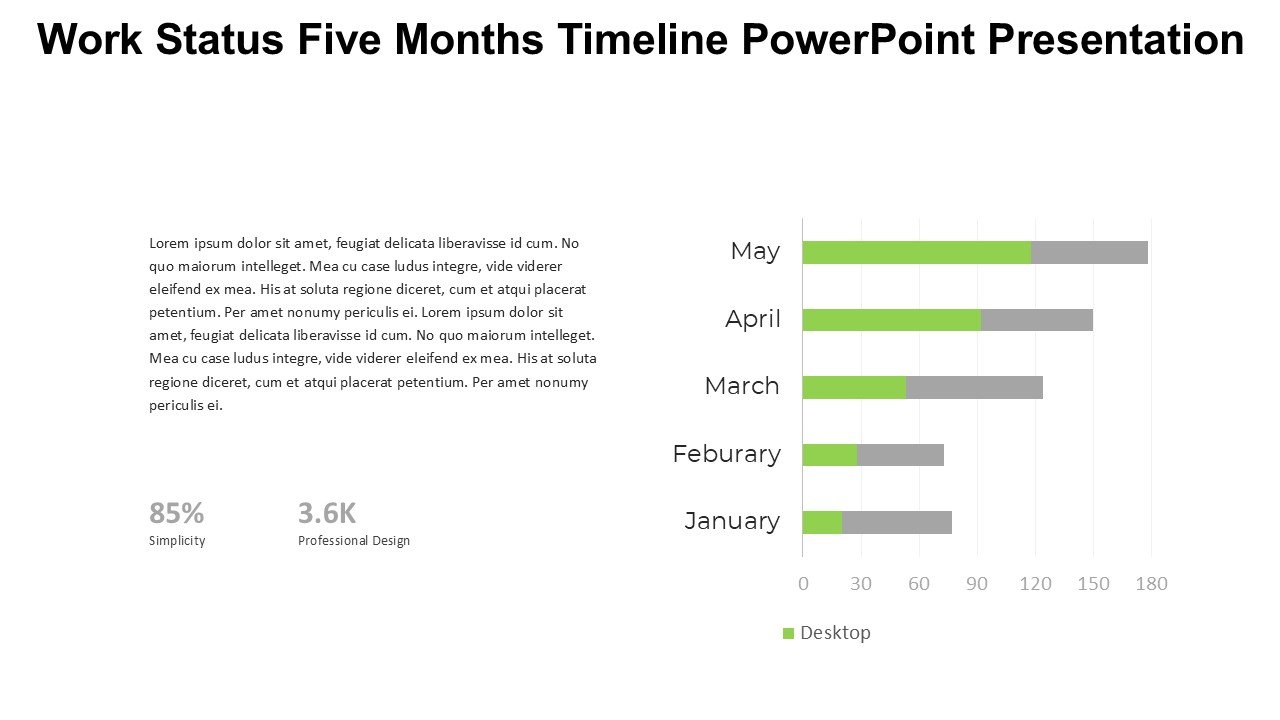
The Work Status Five Months Timeline PowerPoint Presentation slide template is an essential PPT template designed to help professionals, educators, and advocates effectively track and present the progress of various projects over a five-month period. This user-friendly presentation template offers a clear, visual representation of work status, milestones, deadlines, and more, making it easier for teams to stay aligned and informed.
Crafted with precision, the Work Status Five Months Timeline PowerPoint Presentation PPT template includes a series of meticulously designed slides that allow for easy input and customization. Each slide features a timeline that can be adjusted to reflect specific project dates, tasks, and the status of ongoing work. The layout is intuitive, ensuring that even users with minimal experience in PowerPoint can effortlessly modify and utilize each slide to its full potential.
This PPT slide is perfect for a wide range of professional settings, including corporate environments, educational institutions, and non-profit organizations. It serves as a powerful tool for managers and team leaders to communicate the current status of projects to stakeholders and team members, ensuring everyone is up-to-date with the latest developments. Additionally, educators can use this template to plan and outline course structures or academic projects over a semester, while advocates may find it useful for tracking the progress of campaigns or initiatives.
The design of the Work Status Five Months Timeline PowerPoint Presentation PPT template is clean and modern, equipped with customizable options to add your own text, change colors, and insert relevant data. This flexibility makes it an invaluable asset for creating presentations that are not only informative but also visually appealing.
Features:
– Fully editable templates: Customize every element of the slides with ease.
– Visual timeline design: Clearly depict project timelines and status.
– Compatible with PowerPoint and Google Slides: Works across popular presentation platforms.
– High-quality graphics: Ensures that presentations look professional in every setting.
– Easy to use: Designed for users at all skill levels.
Use Cases:
– Ideal for project management updates in corporate settings.
– Useful for educators planning academic courses or projects.
– Effective for non-profit organizations tracking campaign progress.
– Suitable for freelance professionals managing multiple projects.
– Beneficial for workshops or seminars that require timeline tracking.




There are no reviews yet.