


Description
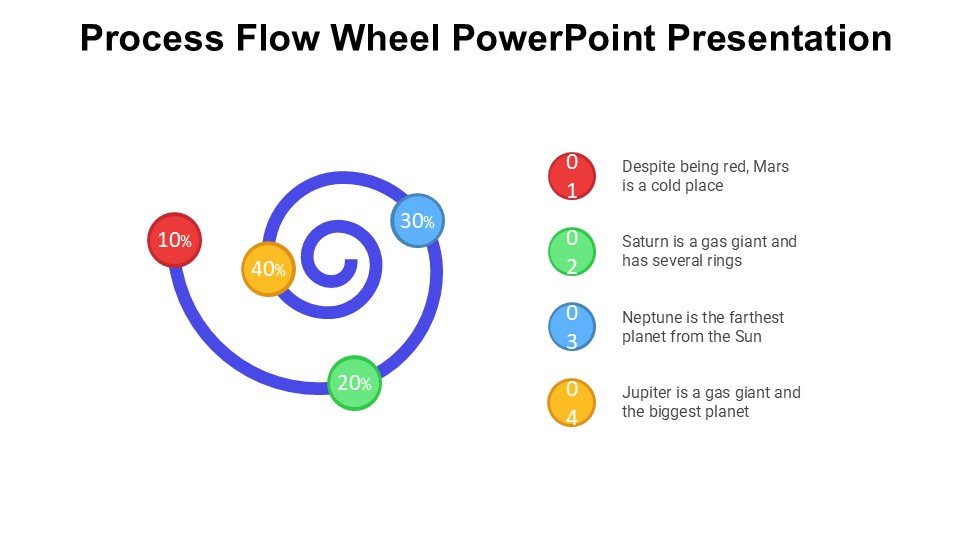
The Process Flow Wheel PowerPoint Presentation PPT template is an essential presentation tool designed to aid educators, business professionals, and advocates in illustrating complex processes in a visually engaging manner. This PPT slide template serves as a versatile resource, enabling users to convey sequential steps, cyclical processes, or continuous workflows with clarity and precision. Created with the user experience in mind, this PowerPoint slide template is not only functional but also aesthetically pleasing, ensuring that your presentations capture and hold your audience’s attention.
Ideal for a wide range of applications, the Process Flow Wheel PowerPoint Presentation slide template is suited for educational settings, where teachers can use it to explain scientific processes, historical timelines, or literary plots. In the corporate world, this presentation template helps managers and team leaders depict project stages, business cycles, or operational workflows. Advocates and non-profit organizations will find this PPT template invaluable for outlining campaign strategies, advocacy processes, or volunteer onboarding flows.
The design of the Process Flow Wheel PowerPoint Presentation PPT template is crafted to ensure ease of use. It features a central hub, typically used to represent the core concept or main theme, from which various process steps or stages radiate like spokes on a wheel. This format encourages a holistic view of subjects, promoting understanding and retention among audiences. The template’s customizable nature allows presenters to adapt the design to fit their specific needs, whether it’s changing colors, adjusting text, or adding icons.
With its clear, informative, and professional layout, the Process Flow Wheel PowerPoint Presentation slide template is an indispensable asset for anyone looking to enhance their presentation and effectively communicate complex information.
Features:
– Fully editable templates: Customize every element of the slides with ease.
– High-quality graphics: Ensures sharp visuals even when projected.
– Versatile design: Suitable for various educational, professional, or advocacy-related topics.
– Easy to use: User-friendly layout for professionals of all skill levels.
– Compatibility with PowerPoint: Seamlessly integrates with Microsoft PowerPoint.
– Additional support for Google Slides: Offers flexibility for users of Google’s presentation platform.
– Wide range of slide variations: Includes multiple layouts to cater to different presentation needs.
Use Cases:
– Ideal for classroom teaching on subjects like biology, history, or literature.
– Suitable for corporate presentations on business processes, project stages, or team workflows.
– Effective for non-profit organizations to outline campaign strategies or processes.
– Useful for training sessions in both corporate and non-profit environments.
– Beneficial for workshops or seminars focusing on process optimization or workflow management.
– Appropriate for educational seminars and conferences to illustrate key concepts or models.







There are no reviews yet.