


Description
The Future State Improvement PowerPoint Presentation PPT template is an invaluable resource designed to assist educators, professionals, and advocates in strategizing and showcasing improvements from current to future operational states. This comprehensive PPT template is meticulously crafted to guide users through the process of visualizing and planning changes that aim to enhance performance and efficiency in various organizational contexts.
Tailored specifically for those who are involved in process improvement, change management, or strategic planning, the Future State Improvement PowerPoint Presentation slide template serves as a crucial aid in communicating the transition between ‘as-is’ and ‘to-be’ scenarios. Whether you are a business leader looking to streamline operations, an educator teaching project management courses, or an advocate driving change in your community, this PPT slide offers a structured framework to present your vision and plans.
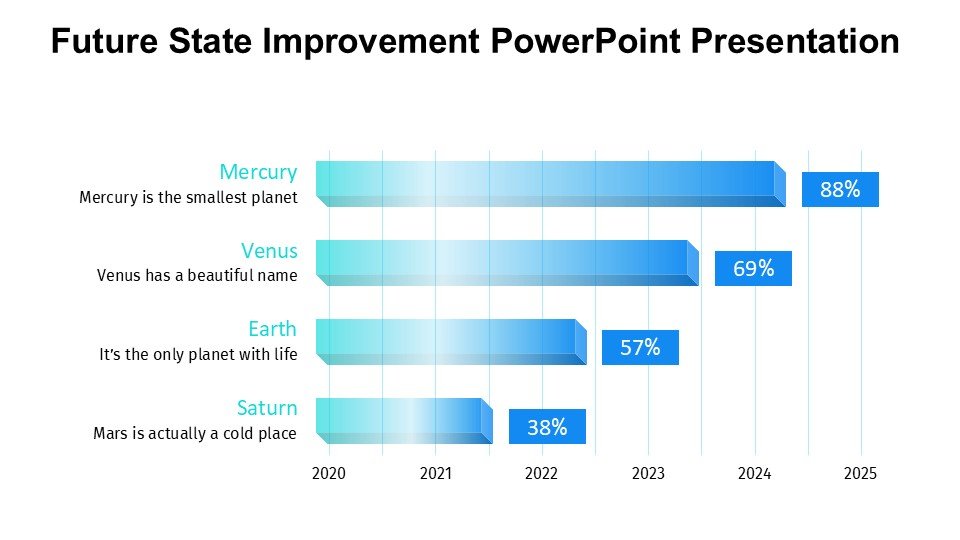
The presentation template comes equipped with a range of slides that include diagrams, flowcharts, and text placeholders that are all fully customizable to suit specific needs and contexts. Users can articulate milestones, key performance indicators, and the projected benefits of transitioning to a future state. With its professional design and intuitive layout, the Future State Improvement PowerPoint Presentation PPT template ensures that your strategic messages are conveyed clearly and effectively, making it easier for your audience to grasp complex concepts and strategies.
This tool is not only a presentation aid but also a strategic companion that helps in aligning team members, stakeholders, and external parties towards common organizational goals. It simplifies the task of demonstrating the practical steps necessary for achieving desired improvements and provides a visual journey of transformation efforts across various phases.
Features:
– Fully editable templates: Customize every element of the slides with ease.
– High-quality graphics: Ensures the presentation looks professional in every setting.
– Versatile slide designs: Includes charts, graphs, and conceptual models.
– Easy-to-use placeholders: Add your text quickly without compromising on design.
– Wide compatibility: Works seamlessly with PowerPoint and other popular presentation software.
Use Cases:
– Ideal for use in business strategy meetings to illustrate future planning.
– Essential for academic purposes, particularly in courses related to project management and organizational change.
– Useful for workshops or seminars focused on teaching the principles of effective change management.
– Suitable for non-profits or advocacy groups presenting future goals and strategies to stakeholders or donors.


There are no reviews yet.