


Description
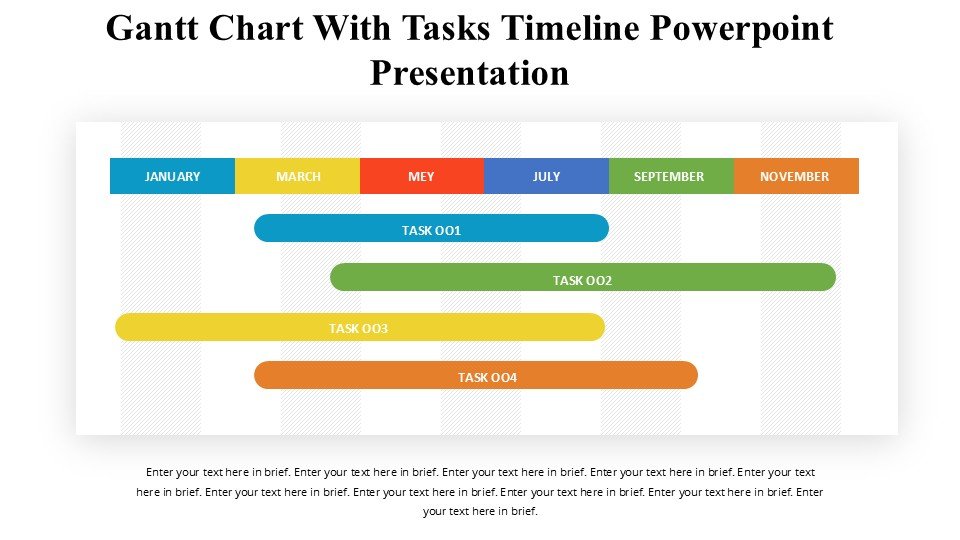
Introducing the Gantt Chart with Tasks Timeline PowerPoint Presentation, an essential tool designed to streamline project management and enhance your presentation efficiency. This PowerPoint template is meticulously crafted to aid project managers, team leaders, and project coordinators in visualizing project schedules, tracking progress, and communicating deadlines effectively. Whether you’re overseeing a complex project, coordinating team activities, or planning strategic initiatives, this Gantt Chart template is the perfect resource to keep your project on track and stakeholders informed.
The Gantt Chart with Tasks Timeline PowerPoint Presentation offers a clear, intuitive layout that makes it easy for audiences to grasp the scope and timelines of projects at a glance. This template not only helps in planning and scheduling activities but also provides a dynamic way to present progress updates to teams or clients. With its professional design and comprehensive functionality, it serves as a vital tool for project management presentations, ensuring your data is both understandable and visually appealing.
**Features of the Gantt Chart with Tasks Timeline PowerPoint Presentation:**
1. **Fully Editable Templates:** Every aspect of the template can be customized to fit the specific needs of your project. Adjust timelines, change task durations, modify colors, and edit text to match your project requirements and branding. This feature ensures that you can tailor your presentation precisely, making it as detailed or as streamlined as necessary.
2. **Compatibility with PowerPoint and Google Slides:** Designed to be versatile, this presentation template supports both Microsoft PowerPoint and Google Slides. This dual compatibility allows for easy integration into various presentation platforms, ensuring you can work with your preferred software without compatibility issues.
3. **Dynamic Time Frames:** The Gantt chart is equipped with adjustable time frames, enabling you to set daily, weekly, monthly, or even annual timelines depending on the project’s duration and complexity. This flexibility ensures that the chart remains relevant and useful throughout different phases of the project lifecycle.
4. **Progress Tracking:** Visual indicators and progress bars allow for real-time tracking of task completion, helping you and your audience see which activities are on schedule, ahead, or need attention. This feature is particularly useful for keeping stakeholders informed and making necessary adjustments to the project plan.
5. **Easy Integration of Data:** Import your existing project data seamlessly into the template. This functionality saves time and reduces the risk of errors when transferring information, making it easier to maintain accuracy and consistency across project documents.
6. **Professional Aesthetic:** With a sleek, professional design, this template enhances the visual impact of your presentations. The thoughtful layout and color scheme ensure that information is accessible and engaging, making complex data easier to digest for all audiences.
7. **Resource Allocation and Milestone Indicators:** Clearly display which resources are allocated to specific tasks and highlight key milestones within the project. These features aid in resource planning and help keep all team members aligned with critical project events.
The Gantt Chart with Tasks Timeline PowerPoint Presentation is an indispensable tool for anyone involved in project management. It not only enhances the presentation of project timelines but also improves project tracking and stakeholder communication, ultimately contributing to more successful project outcomes. Equip yourself with this powerful presentation tool and bring clarity and professionalism to your project management efforts.







There are no reviews yet.