


Description
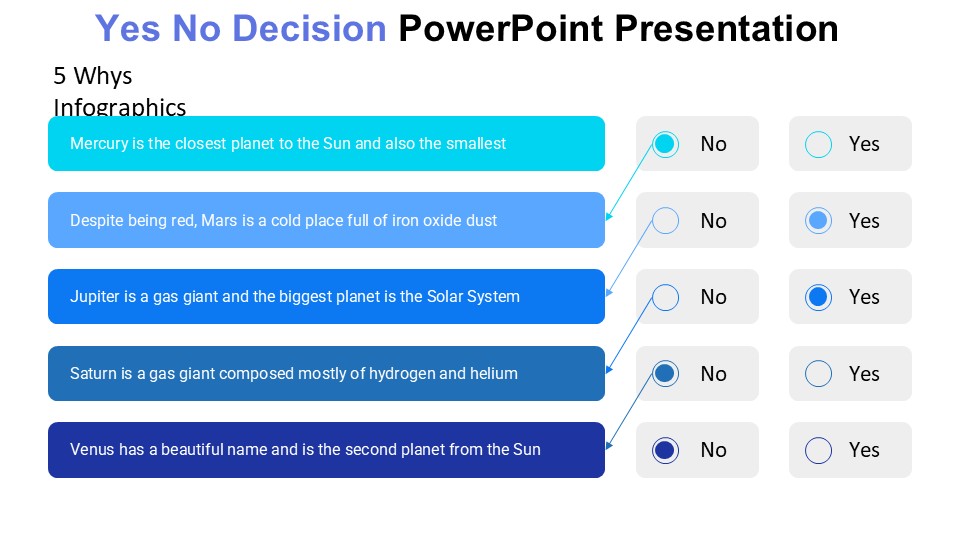
In today’s fast-paced decision-making environments, clarity and precision are crucial for successful outcomes. The Yes No Decision PowerPoint Presentation PPT template is expertly designed to facilitate this process, offering a structured approach to presenting decision scenarios and outcomes. This PPT template is ideal for educators, business professionals, and advocates who regularly face decision-making situations and need to present these choices clearly to an audience.
The Yes No Decision PowerPoint Presentation slide template is more than just a visual aid; it is a strategic tool that helps in breaking down complex decision-making into simpler, binary choices. It guides the audience through the pros and cons, helping them understand the implications of each decision path. The clean, engaging design of the PPT slides ensures that the focus remains on the content, making it easier for the presenter to guide the discussion and for the audience to reach a well-informed decision.
This presentation template is meticulously crafted to be intuitive and user-friendly. It contains a variety of slide designs, each tailored to different aspects of the decision-making process. Whether you are discussing potential risks, benefits, or requiring a direct yes or no outcome, this PPT template can be adapted to suit a diverse range of scenarios. The use of visually appealing graphics and icons enhances the overall impact of the presentation, making complex information easily digestible.
For educators, this PPT slide is a valuable resource in teaching decision-making skills in a classroom setting. Professionals will find it indispensable in business meetings or strategy sessions where clear outcomes need to be presented and justified. Advocates can leverage the power of this PPT template to persuade and inform stakeholders during campaigns or advocacy meetings.
The Yes No Decision PowerPoint Presentation PPT template is not just a presentation tool; it’s a facilitator of clearer, more effective communication. It empowers presenters to convey their message with confidence and precision, ensuring that every decision presented is understood and well-received.
Features:
– Fully editable templates: Customize every element of the slides with ease.
– Compatible with PowerPoint and Google Slides: Works across popular presentation platforms.
– High-quality graphics and icons: Enhances visual appeal and comprehensibility.
– Versatile slide designs: Suitable for various decision-making scenarios.
– Professional and clean layout: Keeps the audience focused on the content.
– Easy to navigate: Logical flow makes it simple for audiences to follow along.
Use Cases:
– Ideal for classroom teaching on decision-making processes.
– Suitable for business meetings focusing on strategic decisions.
– Effective in advocacy presentations to illustrate binary choices and their impacts.
– Useful in workshops or seminars to facilitate interactive decision-making sessions.
– Appropriate for webinars where decisions need to be made live with audience input.







There are no reviews yet.