


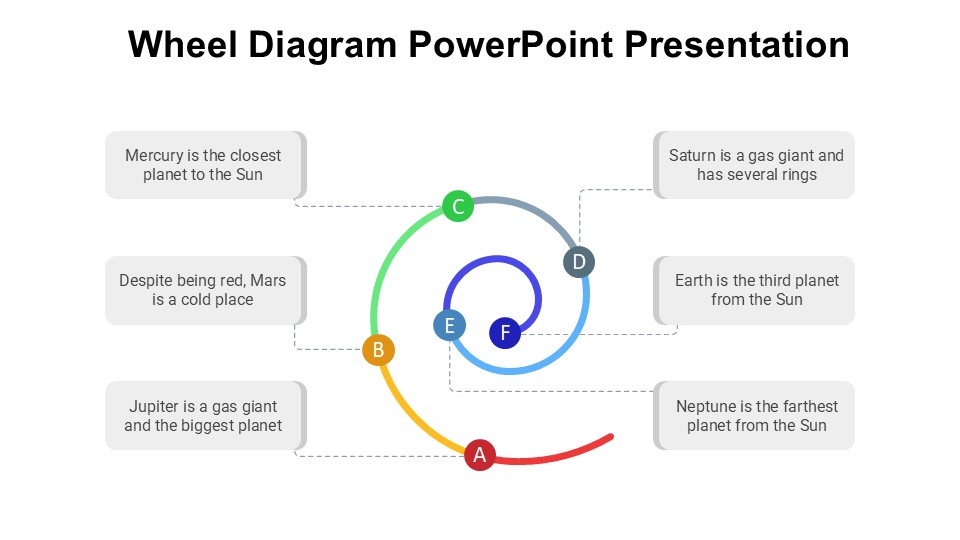
Description
The Wheel Diagram PowerPoint Presentation slide template is an essential PPT template designed to help educators, professionals, and advocates effectively organize and present information in a visually engaging manner. This presentation template is crafted to aid in the visualization of data, concepts, and processes that operate in a cyclical nature. The wheel design is particularly useful in illustrating how different components interconnect and influence each other within a complete system.
With its clear, professional design, the Wheel Diagram PowerPoint Presentation PPT template is perfect for a wide array of presentations. Whether you’re a teacher explaining complex scientific cycles, a business professional outlining company processes, or an advocate demonstrating the cycles of policy impact, this PPT slide is structured to support your narrative and enhance understanding among your audience. The intuitive design ensures that each segment of the wheel is distinct yet harmoniously integrated, allowing for a straightforward depiction of each phase or component.
The Wheel Diagram PowerPoint Presentation PPT template is not only a visual aid but also a versatile framework that can be adapted to suit various educational and professional needs. Its design is optimized for clarity and impact, ensuring that each part of your presentation is both accessible and memorable. This slide template is an invaluable resource for anyone looking to present cyclical data or processes in a straightforward and effective way.
Features:
– Fully editable templates: Customize every element of the slides with ease.
– High-quality visual graphics: Ensures that presentations are both appealing and professional.
– Easy to integrate text and data: Simplifies the process of adding and editing information.
– Versatile color schemes: Choose from multiple color options to match your presentation theme.
– Compatibility with PowerPoint and Google Slides: Works across popular presentation platforms.
– Available in different slide layouts: Provides flexibility in presentation design.
Use Cases:
– Ideal for classroom teaching on topics like the water cycle or life cycles.
– Suitable for business presentations on project life cycles or product development stages.
– Effective for advocacy presentations illustrating the impact cycle of social or environmental issues.
– Useful for training sessions in corporate settings, explaining operational workflows or feedback loops.
– Applicable in workshops or seminars, facilitating discussions on interconnected systems or processes.







There are no reviews yet.