


Description
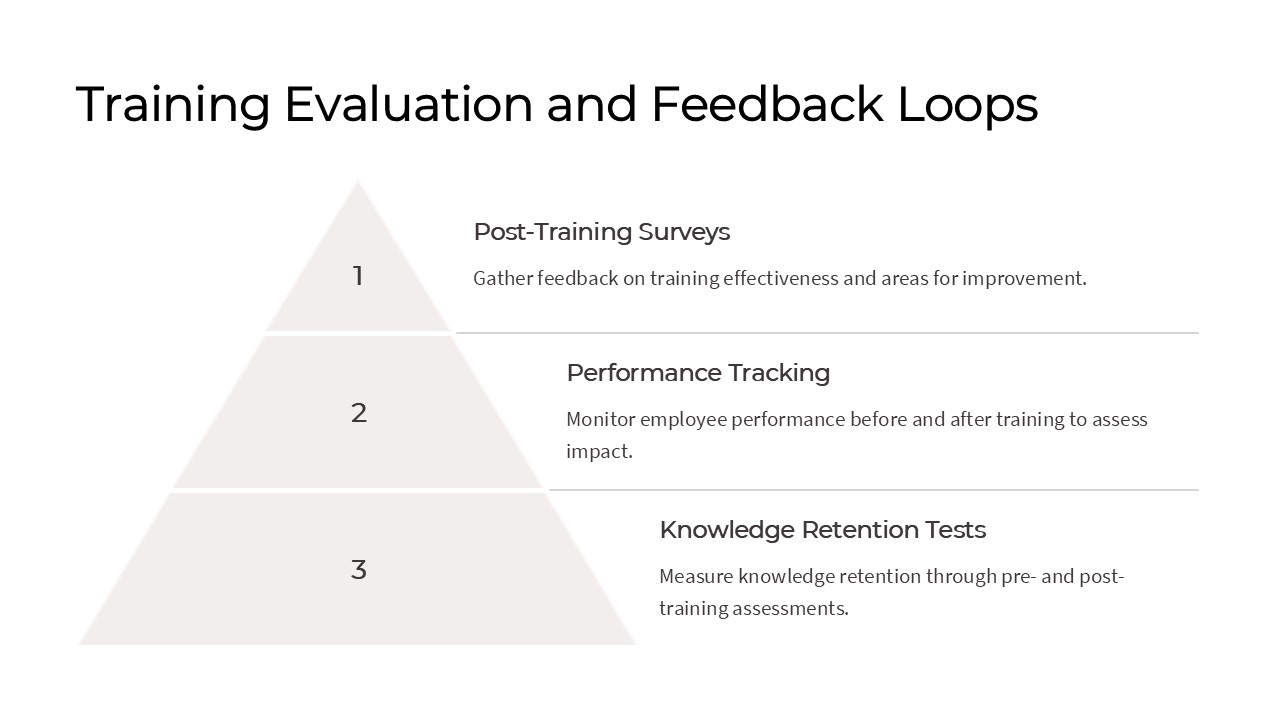
Training Evaluation and Feedback Loops PowerPoint Presentation is a comprehensive and visually appealing template designed for professionals looking to assess the effectiveness of training programs and implement feedback loops for continuous improvement.
This presentation features a sleek and modern design with easy-to-edit slides that cover all aspects of training evaluation and feedback loops. From defining key performance indicators (KPIs) to collecting feedback from participants, this template provides a structured approach to measuring training outcomes and making data-driven decisions.
With Training Evaluation and Feedback Loops PowerPoint Presentation, users can customize the content to suit their specific training needs and objectives. The template includes various charts, graphs, and diagrams that can be easily edited to visualize training data and trends. Additionally, the presentation offers tips and best practices for designing effective feedback loops and incorporating feedback into training strategies.
Key Features:
1. Fully Editable Slides: Customize the content, colors, and layout to match your branding and training objectives.
2. Data Visualization Tools: Easily present training evaluation data using charts, graphs, and diagrams.
3. Best Practices Guidance: Learn how to implement effective feedback loops and use feedback to improve training programs.
4. Comprehensive Coverage: Address all aspects of training evaluation, from setting KPIs to analyzing feedback data.
5. Professional Design: Impress your audience with a sleek and modern PowerPoint presentation.
Overall, Training Evaluation and Feedback Loops PowerPoint Presentation is a valuable tool for trainers, HR professionals, and learning and development teams seeking to enhance the effectiveness of their training programs through rigorous evaluation and continuous feedback loops.



There are no reviews yet.