


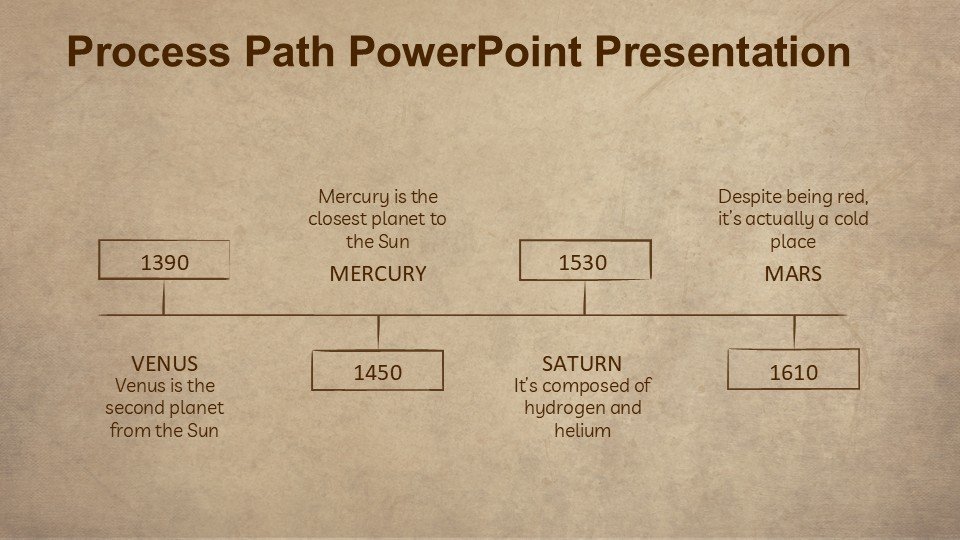
Description
The Process Path PowerPoint Presentation PPT template is a professionally designed resource that serves as an invaluable asset for educators, business professionals, and advocates who aim to convey complex processes and pathways with clarity and precision. This comprehensive presentation template is tailored to assist in illustrating step-by-step sequences and workflows, making it an essential tool for anyone who needs to present information in a structured and visually appealing manner.
Crafted with meticulous attention to detail, the Process Path PowerPoint Presentation slide template features a series of customizable slides that are both functional and aesthetically pleasing. Each slide is designed to guide the audience through various stages of a process, using clear diagrams, engaging graphics, and coherent layouts that enhance understanding and retention. The versatility of this PPT template makes it suitable for a wide range of applications, from academic teaching to corporate training and advocacy presentations.
The design of the Process Path PowerPoint Presentation PPT template caters specifically to those who require a reliable and easy-to-use presentation tool to outline processes such as historical timelines, project milestones, operational procedures, or advocacy steps. The template’s intuitive design ensures that even users with minimal graphic design experience can create professional-quality presentations that effectively communicate their message.
Utilizing key phrases like ‘Process Path PowerPoint Presentation slide template’ and ‘Process Path PowerPoint Presentation PPT template’, this product not only meets the practical needs of its users but also ensures optimal online visibility, making it easily accessible to a broad audience. Whether you are an educator aiming to break down educational content into digestible parts, a business professional tasked with demonstrating project phases, or an advocate outlining strategic plans, this PPT template is designed to meet your needs.
Features:
– Fully editable templates: Customize every element of the slides with ease.
– High-quality graphics: Includes vector icons and scalable images.
– Wide range of slide designs: Over 30 unique slide layouts.
– User-friendly interface: Simple drag-and-drop placeholders.
– Multiple color schemes: Choose from pre-designed color palettes or create your own.
– Comprehensive user guide: Comes with detailed instructions for modifying and using the templates.
– Compatibility with PowerPoint and Google Slides: Works across popular presentation platforms.
Use Cases:
– Ideal for classroom teaching on complex subjects like science or economics.
– Suitable for business presentations outlining company processes or strategies.
– Effective for non-profit organizations to illustrate campaign plans or community programs.
– Useful for government presentations on policy development or public service workflows.
– Applicable for workshops or seminars focusing on process improvement or skill development.





There are no reviews yet.