


Description
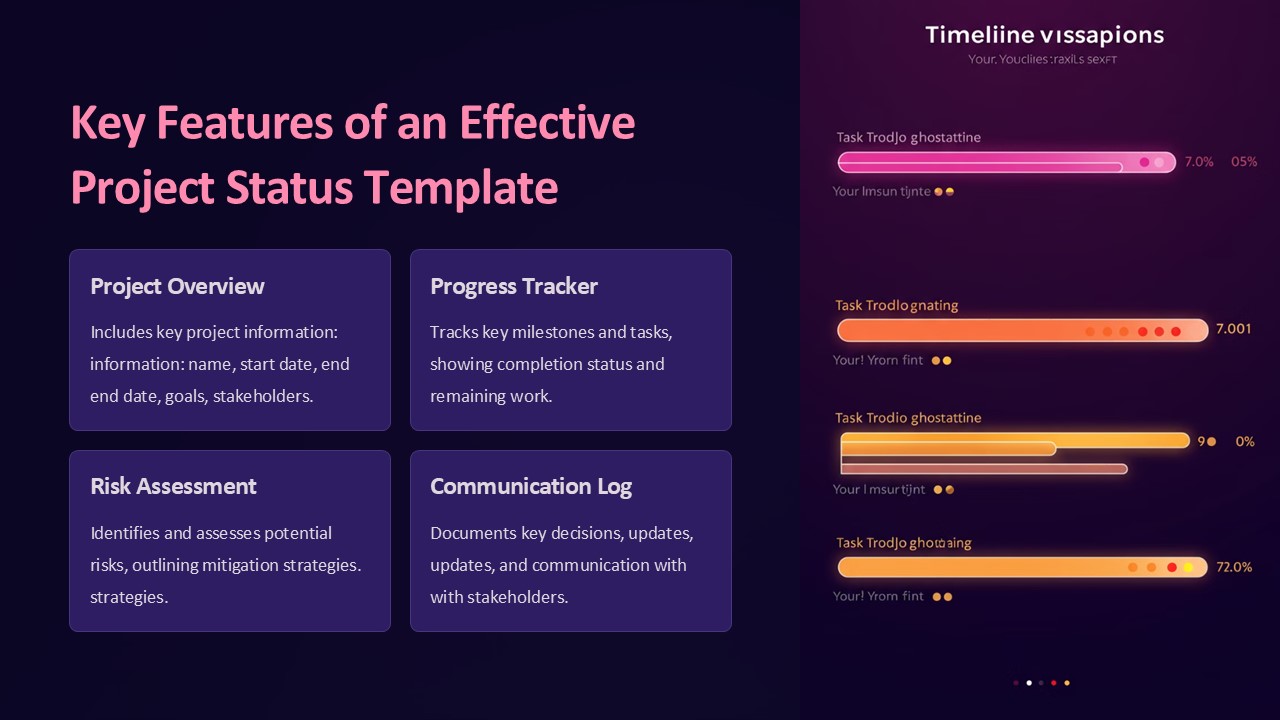
An effective project status template PowerPoint presentation is an essential tool for project managers to effectively communicate the progress and updates of a project to stakeholders. This template provides a structure and format for presenting key information in a clear and concise manner, ensuring that everyone involved is on the same page regarding the project’s status.
Key features of an effective project status template PowerPoint presentation include:
1. Clear and concise layout: The template should have a clean layout with sections for important information such as project objectives, milestones, tasks, timelines, and risks. This helps to organize the information and make it easy to understand for the audience.
2. Visual representation: The use of charts, graphs, and tables can help to visually represent project data, making it easier for stakeholders to quickly grasp the status of the project. Visual elements can effectively highlight trends, progress, and areas of concern.
3. Customizable design: An effective project status template should be fully editable, allowing users to customize it to suit their specific project needs. Users should be able to easily insert, delete, or rearrange slides and content to tailor the presentation to their requirements.
4. Data accuracy: The template should facilitate accurate reporting of project data, ensuring that all information presented is up-to-date and reliable. This helps to build trust with stakeholders and make informed decisions based on the most current project status.
5. Communication tool: The project status template PowerPoint presentation serves as a communication tool to clearly convey information to team members, clients, and other stakeholders. It provides a structured format for discussions, highlights key points, and facilitates productive discussions about project progress.
Fully editable templates related feature:
– Fully customizable slides: Users can easily edit text, colors, fonts, and layout to match their branding and project requirements.
– Drag and drop functionality: Allows users to easily move elements around on the slide for better organization and visual impact.
– Master slide layouts: Consistent design elements across all slides ensure a professional and cohesive look to the presentation.
– Variety of slide designs: Templates offer a range of slide designs for presenting different types of project information, such as status updates, financials, and timelines.
– Compatibility: Templates are compatible with different versions of PowerPoint and can be easily shared with team members or clients for seamless collaboration.





There are no reviews yet.