


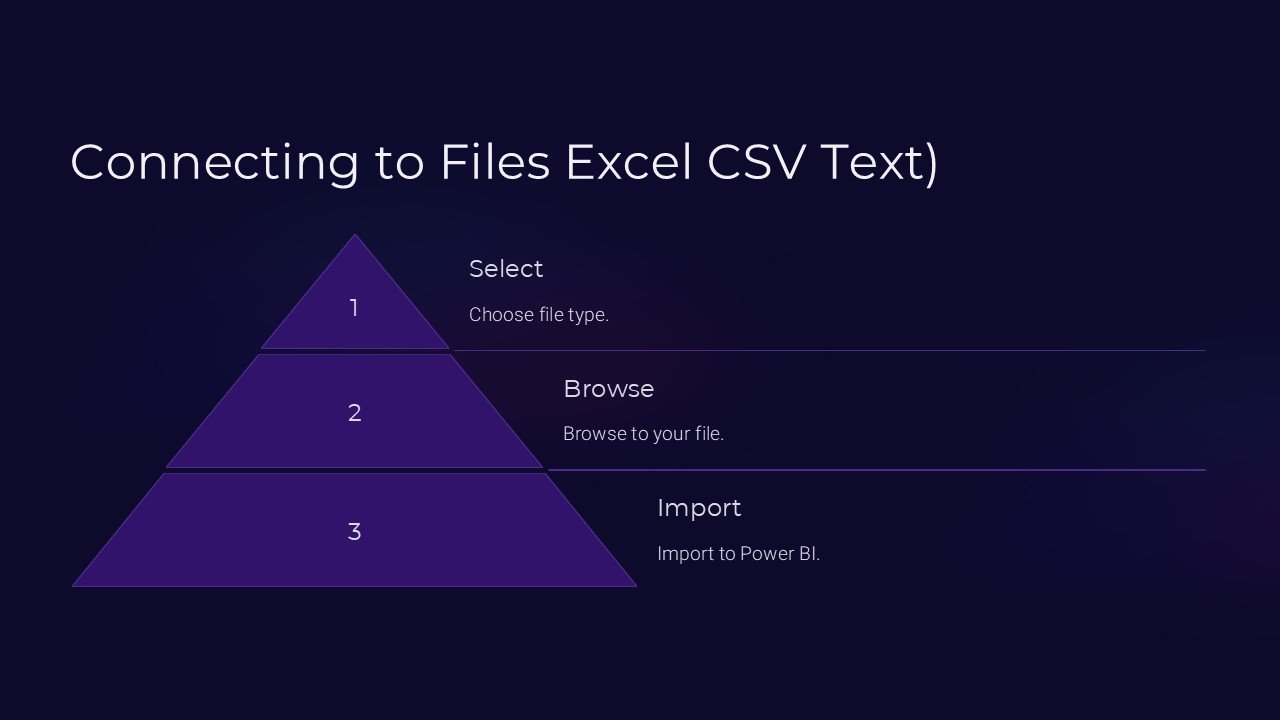
Description
**Introducing the Connecting to Files: Excel, CSV, Text PowerPoint Presentation**
In today’s data-driven environment, the ability to quickly access and manipulate data files is not just a necessity but a pivotal aspect of business efficiency and analytics. The “Connecting to Files: Excel, CSV, Text PowerPoint Presentation” is a comprehensive tool designed to empower professionals, analysts, and data enthusiasts to seamlessly interact with data across various formats directly within PowerPoint.
This innovative presentation template is crafted to enhance understanding and provide step-by-step guidance on handling and connecting to different types of data files including Excel spreadsheets, CSV files, and text documents. Whether you are presenting in a boardroom, conducting a workshop, or delivering training, this PowerPoint template ensures that your data connectivity concepts are communicated effectively and efficiently.
**Key Features:**
1. **Fully Editable Layouts:**
Each slide in the presentation is fully editable, allowing users to customize the content according to their specific needs. This flexibility ensures that you can tailor your presentation to reflect your brand’s style or adhere to specific instructional guidelines.
2. **Wide Compatibility:**
The template supports both PowerPoint and Google Slides, making it accessible to users depending on their preferred platform. This feature ensures that no matter the software you’re using, you can easily integrate this presentation into your workflow.
3. **Step-by-Step Guides:**
The presentation includes detailed slides that explain the processes involved in connecting to and extracting data from Excel, CSV, and text files. These guides are designed to be easy to follow, ensuring that even those new to data handling can understand and apply the concepts discussed.
4. **Dynamic Visual Elements:**
With a range of dynamic charts, tables, and diagrams, the template not only teaches but also visually engages the audience. These elements help illustrate complex data connections in a more comprehendible manner.
5. **Practical Examples and Scenarios:**
To enhance learning and applicability, the presentation incorporates practical examples and real-world scenarios that attendees can relate to. This approach helps in bridging the gap between theoretical knowledge and practical application.
6. **Interactive Components:**
Interactive elements such as clickable tabs and animation ensure that the presentation is not just a passive learning experience but a dynamic interaction. This interactivity enhances user engagement and retention of information.
7. **Comprehensive Support Material:**
Included in the package are additional support materials to aid in delivering a thorough and informative presentation. This includes supplementary notes and references that can be used to deepen understanding or provide additional reading material to the audience.
8. **Seamless Integration:**
The template allows for seamless integration with existing data systems and tools, facilitating a smoother workflow where data can be directly manipulated and showcased within the presentation without the need for external software.
The “Connecting to Files: Excel, CSV, Text PowerPoint Presentation” is more than just a template; it’s a versatile educational tool that brings clarity and proficiency to the process of data handling and presentation. Ideal for businesses, educational institutions, and individual professionals, it enhances data literacy and empowers users to leverage data in meaningful ways. With this presentation, you’re not just presenting data; you’re connecting your audience to it in a format that’s both informative and engaging.




There are no reviews yet.