


Description
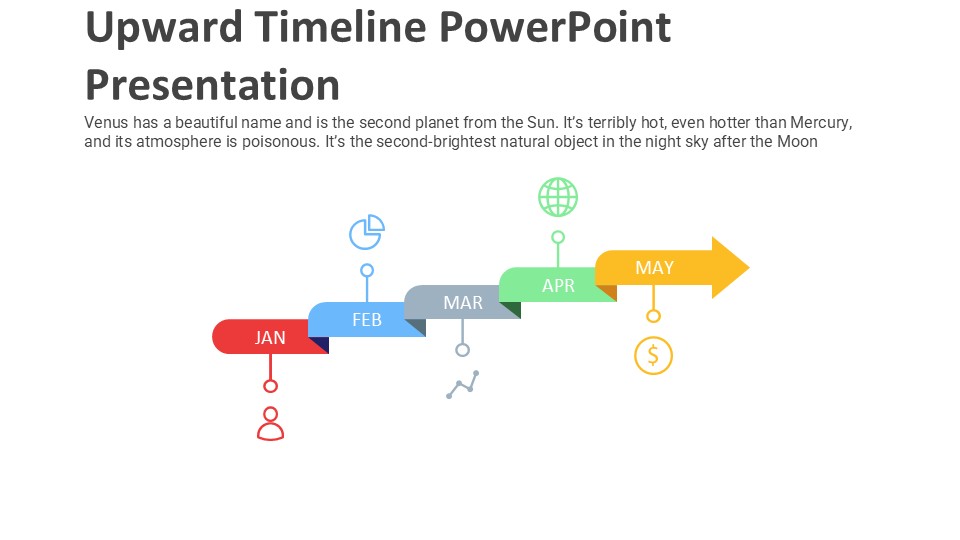
The Upward Timeline PowerPoint Presentation PPT template is an essential slide template for educators, professionals, and advocates who need to display progression or growth over a specific period. This presentation template is meticulously designed to help presenters illustrate a clear trajectory of events, milestones, or goals with an upward trend. Whether you are a teacher explaining historical events, a business professional outlining project milestones, or an advocate demonstrating the progress in policy advocacy, the Upward Timeline PowerPoint Presentation slide template provides a structured and visually appealing way to convey your message.
This PPT template is not only a tool for displaying information but also a framework to inspire and motivate your audience by showing them a clear path of progression. The upward movement embedded in the design inherently suggests positive outcomes and growth, which can be incredibly persuasive and motivating in educational, professional, or advocacy settings. It’s designed to be user-friendly, allowing you to easily add dates, descriptions, and milestones without needing extensive design skills.
The Upward Timeline PowerPoint Presentation PPT template is tailored to suit a variety of audiences and can be used in multiple scenarios. It offers flexibility and adaptability, which are crucial when dealing with diverse topics and audiences. The template’s design is clean and professional, ensuring that the focus remains on the content and its delivery.
Overall, this presentation template is an invaluable resource for anyone looking to present historical data, project timelines, growth strategies, or any sequence of events in an organized and visually engaging way. Its straightforward layout and intuitive design make it suitable for a wide range of users from different fields, aiming to make their presentations not only informative but also compelling.
Features:
– Fully editable templates: Customize every element of the slides with ease.
– Compatible with PowerPoint and Google Slides: Works across popular presentation platforms.
– High-quality graphics: Ensures that the slides look sharp and professional in every presentation.
– Easy to use drag and drop placeholders: Allows quick and accurate placement of text and graphics.
– Versatile color schemes: Choose from a variety of color themes to match your presentation’s tone and style.
– Dynamic layouts: Offers various slide designs to suit different types of data and content.
Use Cases:
– Ideal for classroom teaching on historical or educational timelines.
– Suitable for business presentations detailing project milestones or growth trajectories.
– Effective for advocacy groups presenting progress in campaigns or initiatives.
– Useful for researchers showing study timelines or results over periods.
– Beneficial for startups pitching growth plans or development stages to investors.




There are no reviews yet.